More than a TMS. For carriers and forwarders
Optimize your planning.
Know your margin.
Plan your own fleet and your subcontractors around real costs, capacity and driving hours. One system, from order to invoice.
30 minutes, online. No preparation and no data export needed.
The working day
The day as it actually runs
- Orders arrive by email, as PDFs and through customer systems, in a different shape every time.
- One change to one trip means checking several other trips again.
- The costs sit in a different place from the planning board.
- The margin on a job becomes clear once the work is done.
Orin puts planning, costs and invoicing in one system, so the margin is on the row while you are still deciding.
Planning and margin
See the margin behind
every planning decision
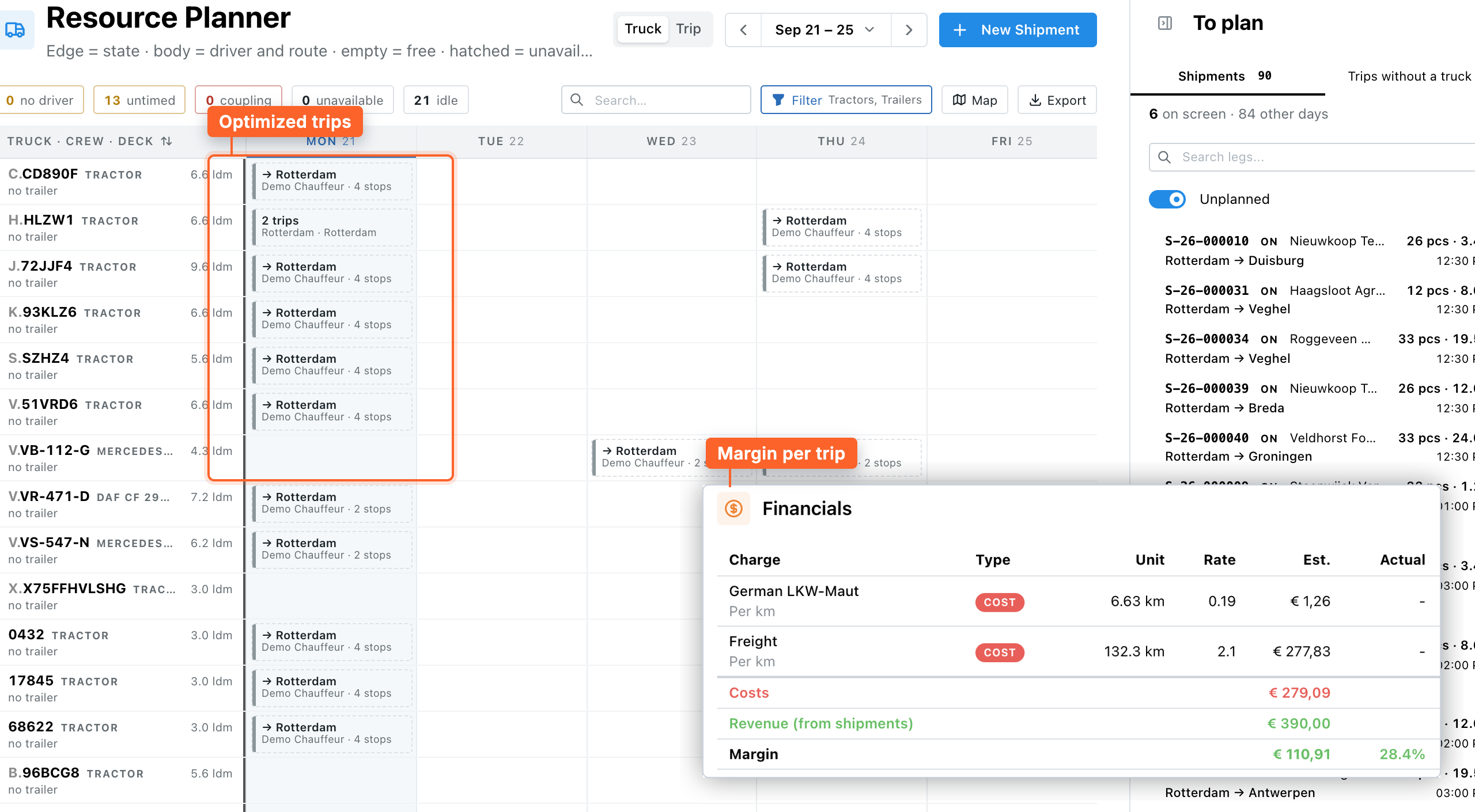
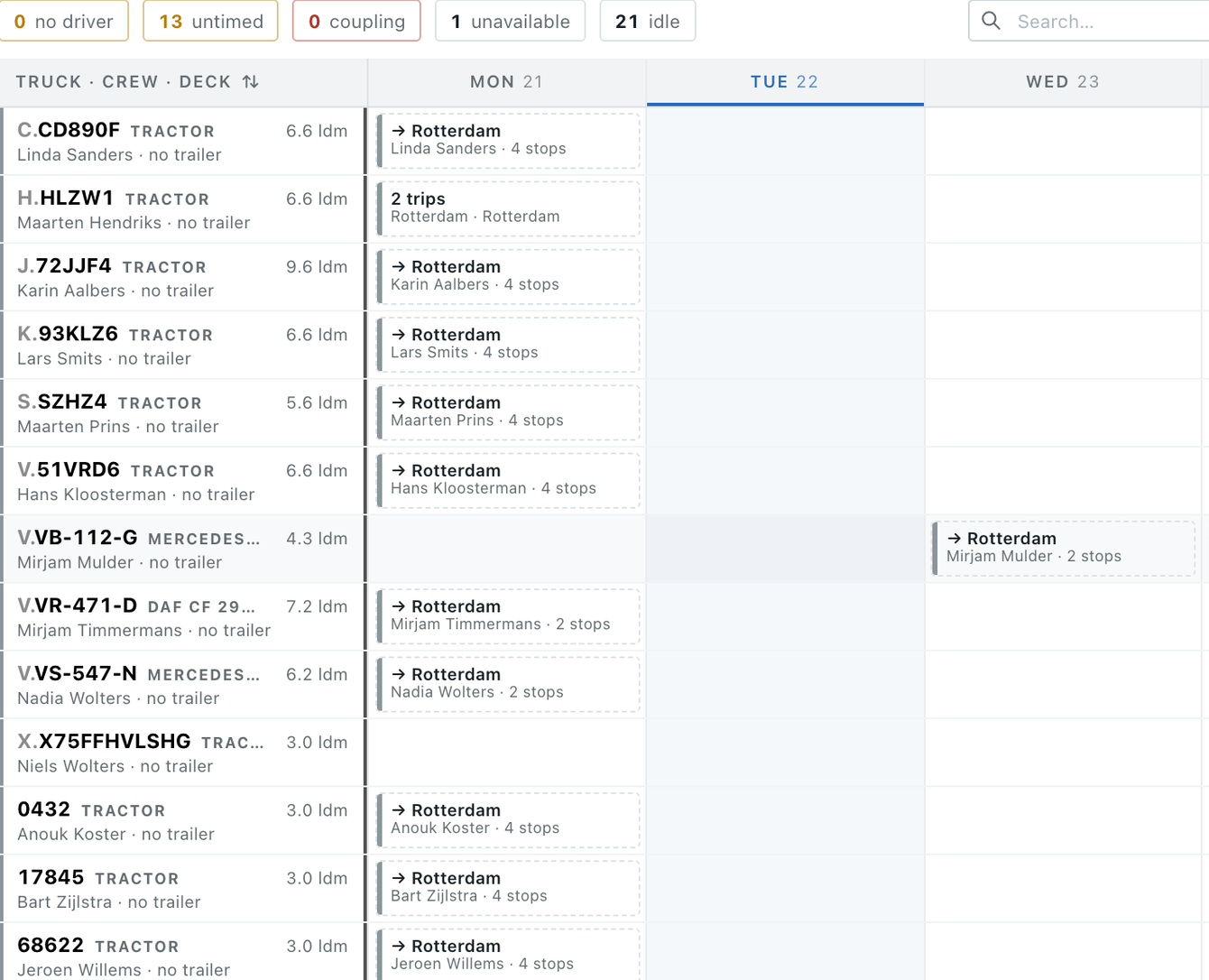
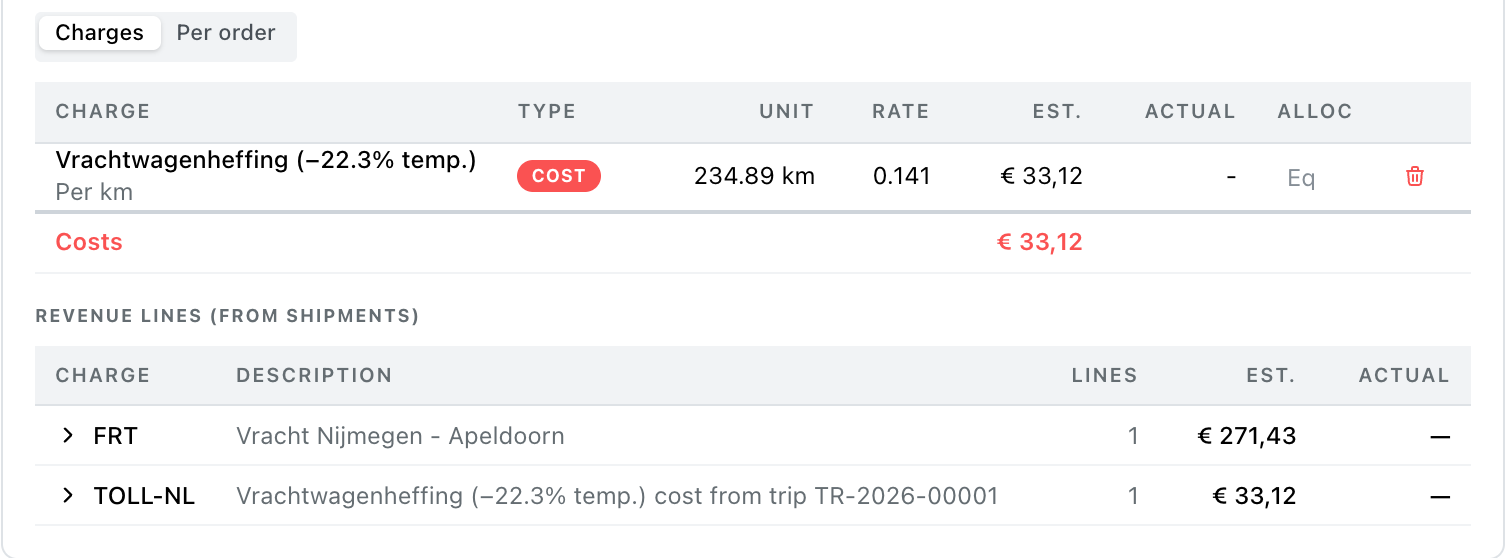
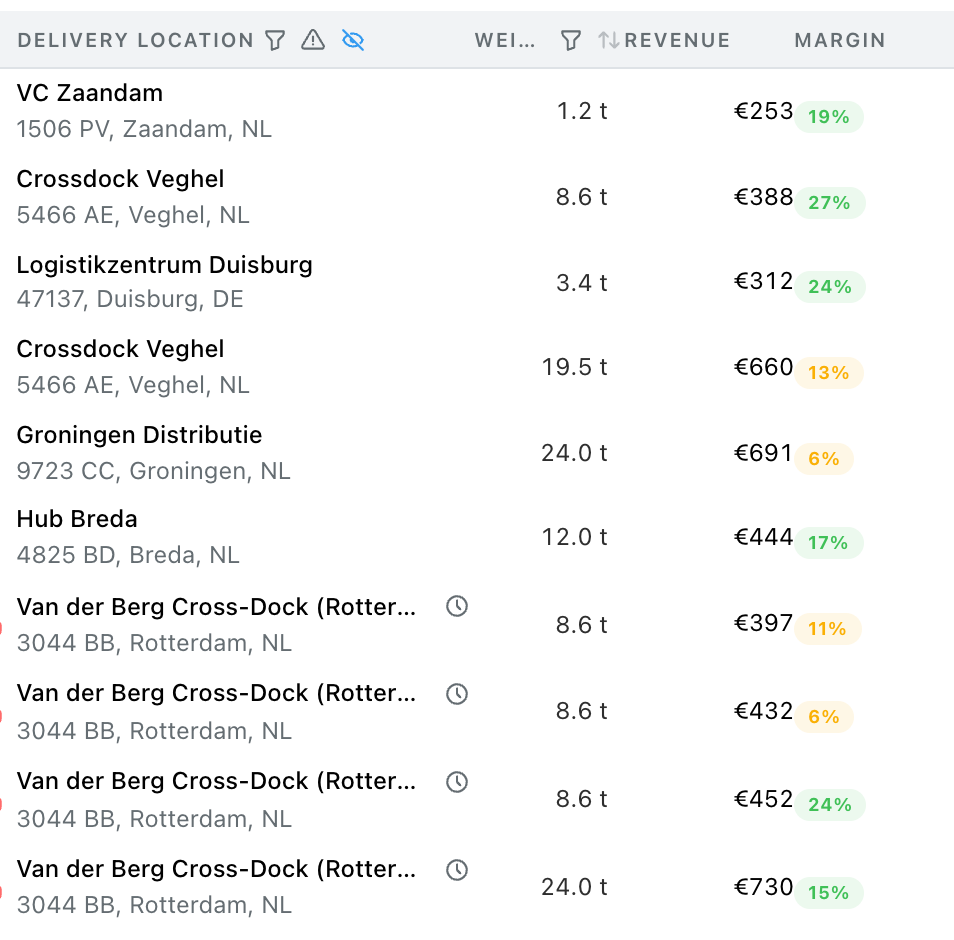
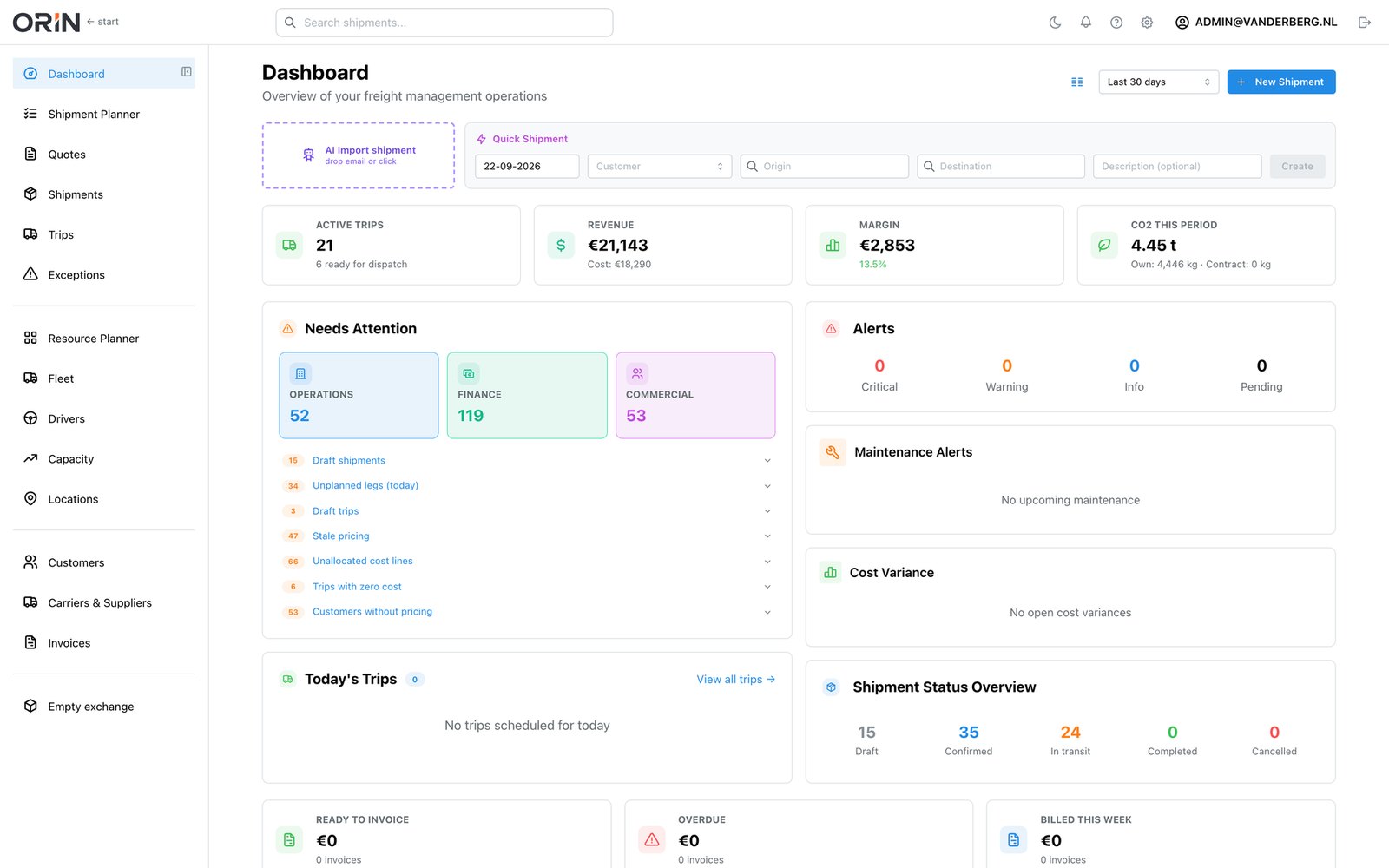
Your orders, vehicles and drivers in one view. What is still free, what the trip costs and what it leaves you, on the screen you plan on.
Choose a view
One order, one day
From order to invoice
Order details, status and documents travel with the shipment to the next step, so nobody re-enters what is already there.
Example: shipment S-26-000060, Amsterdam to Breda, through one working day.
-
Order
08:42
Order received
-
Check
08:55
Data verified
-
Planning
09:06
Trip planned
-
Dispatch
10:18
Driver informed
-
Delivery
16:41
POD captured
-
Invoice
17:02
E-invoice sent
The platform
One platform for your whole transport operation
Orin builds the plan for your whole fleet and reads your incoming orders. Around that sit dispatch, the driver app, invoicing and the customer portal, working from the same orders and the same costs.
Enterprise
Fleet-wide route optimization
Orin builds the trips for your whole fleet on lowest cost or best margin, using your own per-vehicle costs, capacity (tractor and trailer together), time windows and the European driving and rest rules. It works the day out in the background, and you adjust any trip by hand.
Explore route optimization →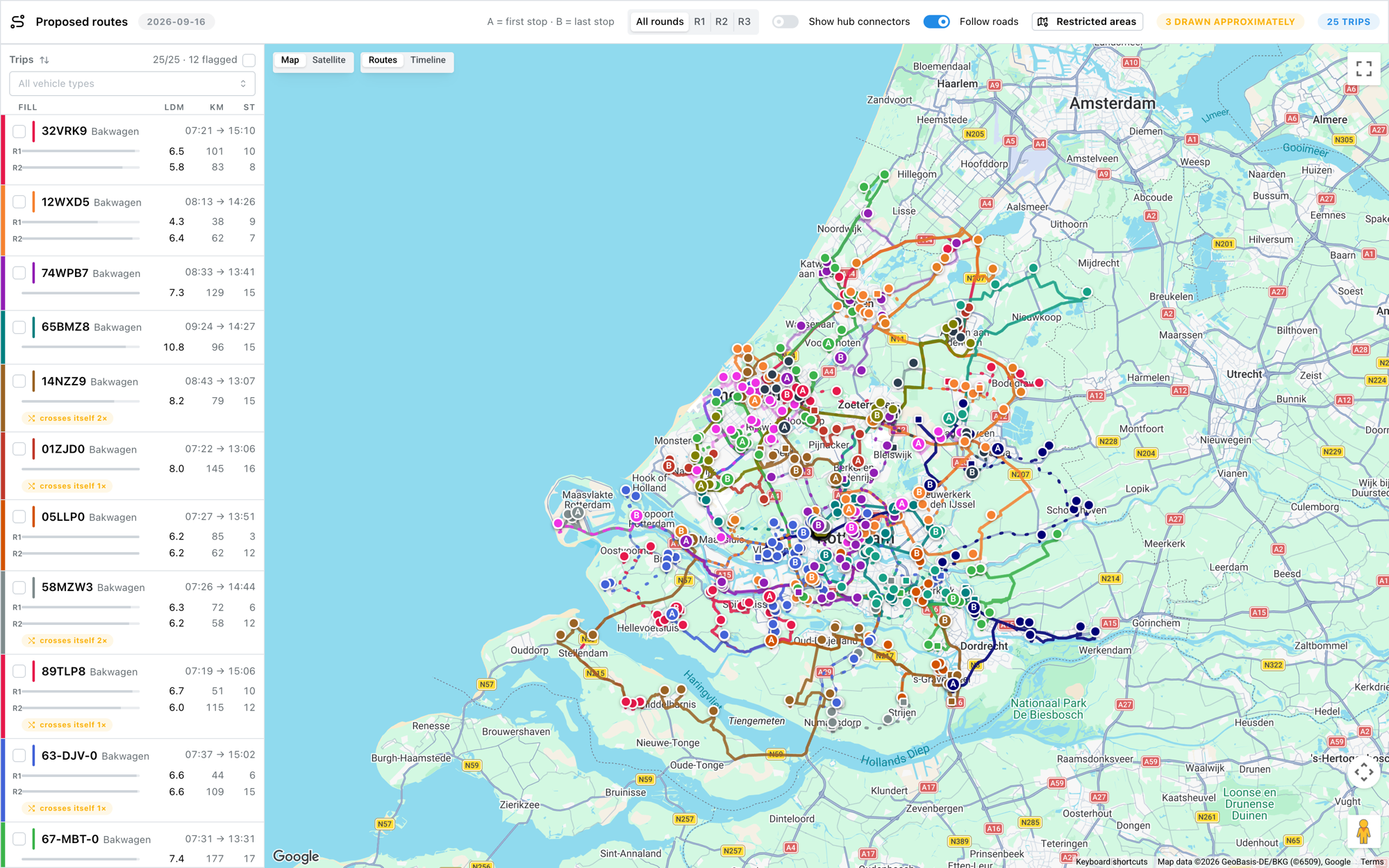
AI order entry
Forward the order email or the PDF. Orin reads the body and the attachments and creates a draft shipment: pickup, delivery, dates, goods, references and price, each field with a confidence score and a link back to the line it came from. You confirm instead of retype.
Attachment 1 · transport-order.pdf
From: planning@aalsveld-chemie.nl
Subject: Transport order 330909, Alblasserdam to Boechingen
Afternoon, Please plan the load below for Friday. Collection from our own site, delivery Monday morning at the latest.
- Collection
- Aalsveld Chemie B.V., Edisonweg 12, 2952 AD Alblasserdam (NL), Fri 26 Sep 07:00-12:00
- Delivery
- Sudwerk GmbH, Industriestrasse 4, 76891 Boechingen (DE), Mon 29 Sep before 16:00
- Goods
- 6 pallets general cargo, 3.7 ldm, 1,200 kg
- Price
- EUR 583.00 all-in
- Reference
- 330909
Draft shipment
Click a row
| Field | Extracted value | Conf. |
|---|---|---|
Click a value on the right and the words it was read from light up on the left. Anything under 90% is marked for a look before you confirm.
Driver app with proof of delivery
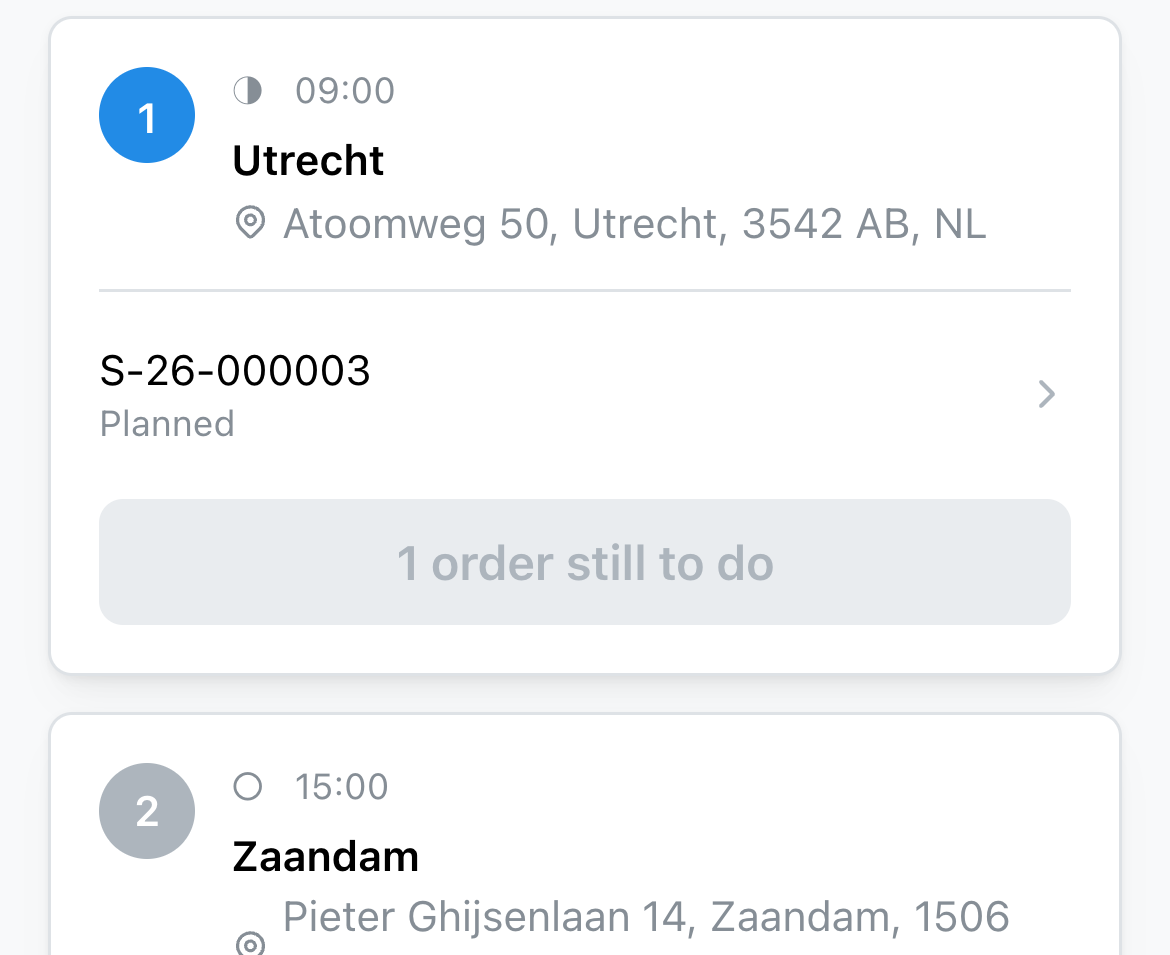
The trip lands on the driver's phone in the browser, with nothing to install. Photos and a signature on the spot, offline, synced back in seconds.
Invoice from the delivery
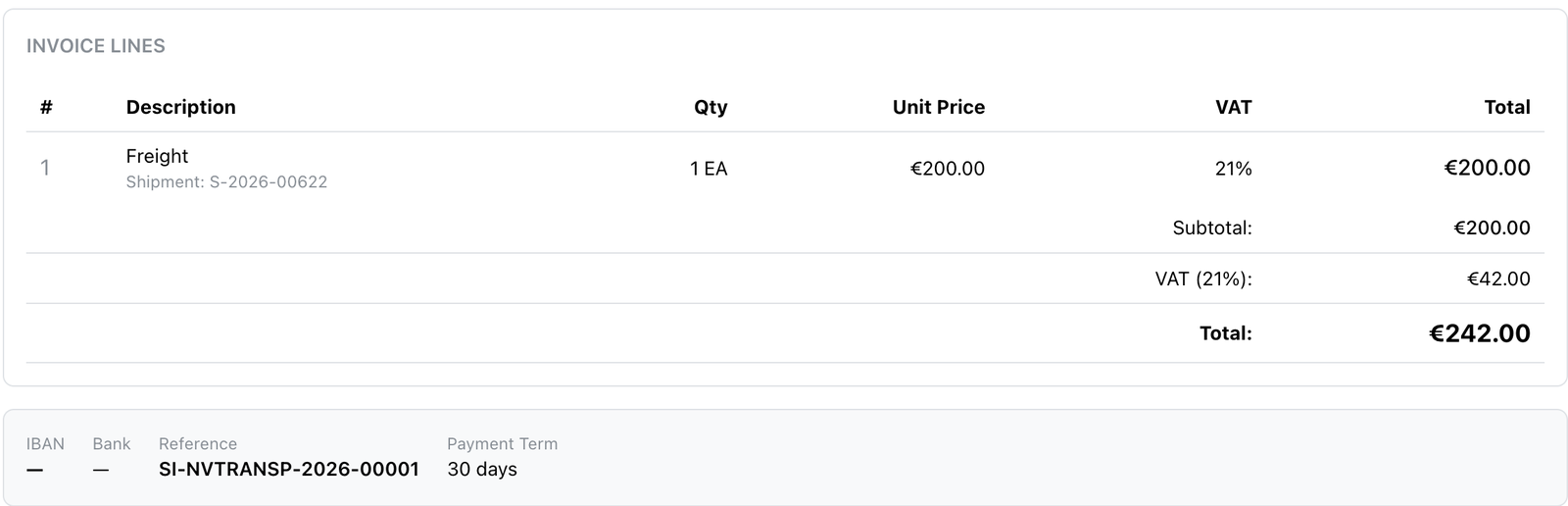
A completed trip becomes a draft invoice in one step. You check it and send it, in Peppol/UBL and the national e-invoicing formats across the EU.
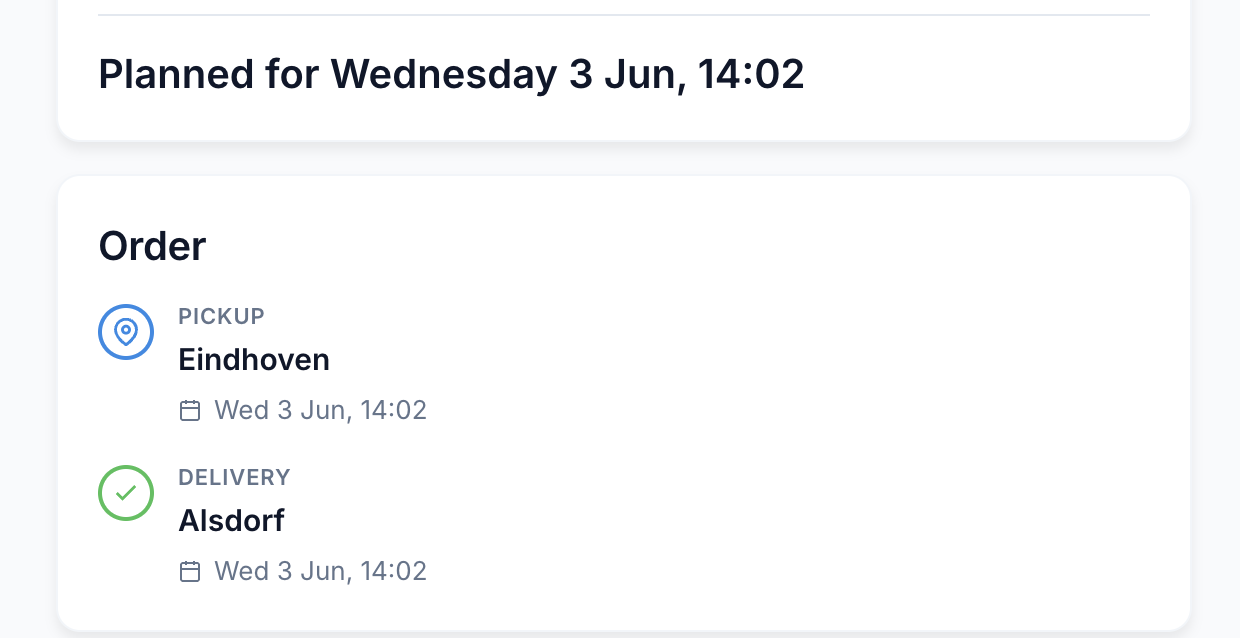
Customers see where the load is
A tracking link in your own branding without a login, and a portal for regular customers. ETAs come from the routing engine rather than from a guess.
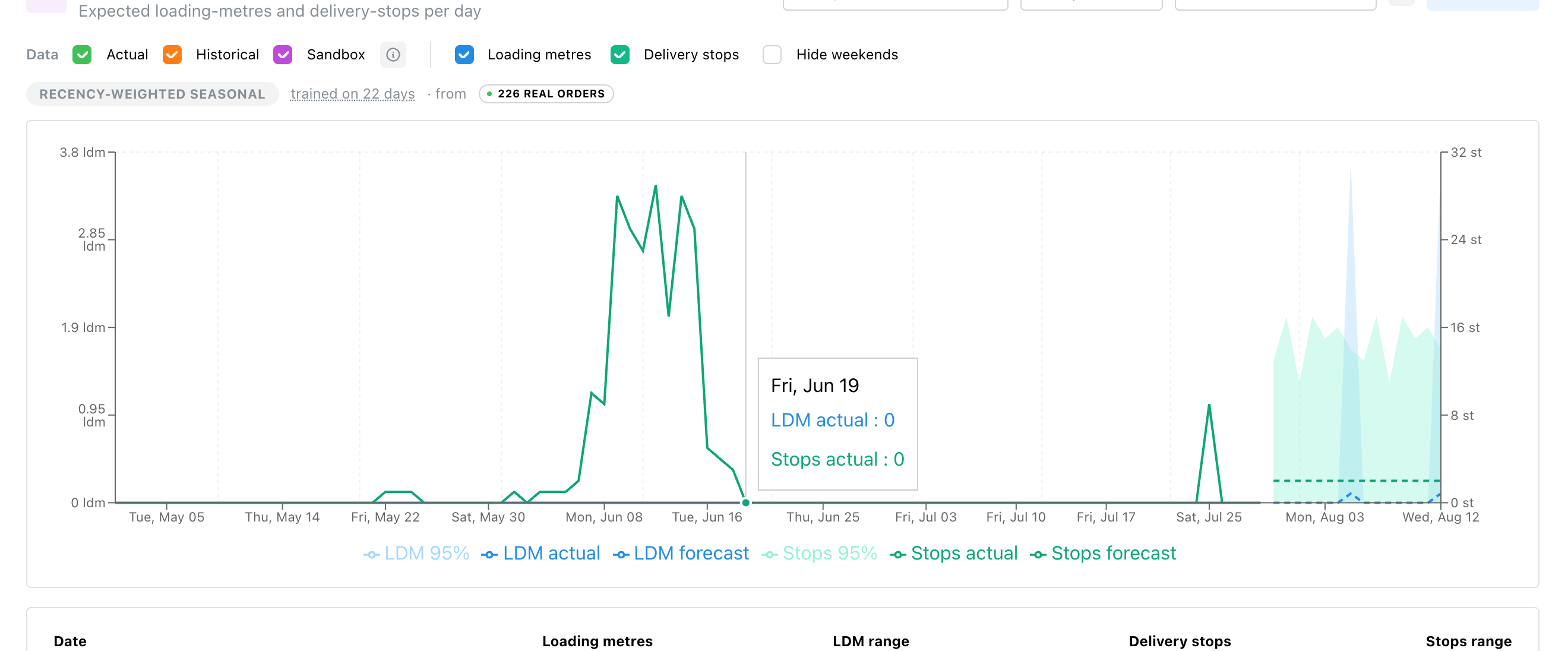
Demand forecasting
Demand per day, in loading metres and delivery stops, from your own shipment history. It sits next to the capacity you have, so you hire in or roster before the peak instead of after it.
Own fleet and charters
Your own trucks and your charters in one plan
Whether your own driver runs the trip or a charter does, you plan it, dispatch it and settle it in the same place.
- Roster
- Who drives which truck, per day and per week, with days off and absence. Route optimization takes over the roster in one click.
- Book charters ahead
- Agree a day or a week, with times and a rate. The charter accepts in the driver app and their truck is planned like one of yours.
- Offer trips
- Offer the coming days' trips to your regular charters, at the rate you agreed with each of them. Whoever accepts gets the trip.
- Dispatch
- Your own driver gets the trip in the driver app, a charter in their own app, in the portal or by email with the price. Status and proof of delivery come back on the trip.
- Settle
- A booked day is settled on the registered times and kilometres. You write the invoice on the charter's behalf and they approve it.
Getting started
Switching is the hard part. We do that part.
Your customers, addresses, vehicles, drivers and rate cards come across from the system you run today. We do the migration, you check the result. Historical trips come too, so the planner starts with your real stop times instead of estimates.
How migration works →- 1
Intro call
Thirty minutes. What you run today, and what has to come across.
- 2
Sample export
You send an export from your current system. We show you what it looks like in Orin.
- 3
Migration
We load customers, addresses, vehicles, drivers and rates. You check them.
- 4
Run alongside
Your planners work in Orin next to the old system until the day it takes over.
- 5
Live
Onboarding for your first department is free. Anything beyond that is quoted before it starts.
Where your data sits
- Hosted in the EU on Microsoft Azure, with a processing agreement and a named list of sub-processors.
- Sub-processors
- E-invoicing in Peppol/UBL and the national EU formats, generated from the completed trip.
- Which formats
- Monthly, cancellable, and your data exports on your own say-so.
- Terms

Next step
See Orin on a live system
Book a demo30 minutes, online. Your own data is welcome later; it is not needed for the first call.