Onboarding & migration
Switch systems without rebuilding your operation from scratch.
You send an export from the system you run today. It comes back as a working account: customers, addresses, vehicles, drivers, rate cards and your trip history, loaded and validated. You check the result instead of typing it.
A mid-sized carrier usually brings something like eight hundred customers, three thousand addresses, the vehicle and driver lists, a handful of rate cards and an EDI connection to its two biggest accounts. That is the shape of the job, not a minimum and not a result.
You export, we load
You send whatever your system produces. We map it, load it and hand back a populated account.
One department in days
A first department is days of work. A full switch with integrations and several entities is a project we scope with you first.
History too
Completed trips import, so stop-time learning starts full. How much that helps depends on how much history your export carries.
You approve
Nothing goes live until you have gone through the loaded data and said so.
How a switch actually runs
Five steps, and what each side does in them.
- 1
Intro call
Thirty minutes. What you run today, which department goes first, and what has to come across.
- 2
Sample export
You send one export. Within a day we tell you whether we can read it and what is missing from it.
- 3
Load and validate
We map and load customers, addresses, vehicles, drivers, rates and history. Every row that fails validation comes back on a list with the reason it failed.
- 4
Check, and run alongside
You go through the loaded data and approve it. Your planners can work in Orin next to the old system for as long as you want; nothing in the old one changes while they do.
- 5
Go live
You pick the date. Orders already running finish in the system that started them; new orders start in Orin. Onboarding for the first department is free.
Your master data, moved for you
Send an export from whatever you run today. We map it, load it and hand it back for checking: you review a populated system rather than assembling one. There is no import weekend and no data-entry temp.
CSV, Excel and XML are the normal case, and we have adapters for the common TMS exports. If yours produces something else, send one file and we will tell you within a day whether we can read it.
- Customers, addresses, vehicles, drivers, rate cards and charge structures come across together, so the system is coherent rather than half-filled.
- Addresses are geocoded on the way in, so planning and distance calculation work from the first day rather than after someone fixes a thousand postcodes.
- Customers are matched against what you already have, never blindly created: the fastest way to ruin a new system is to import the same customer four times under four spellings.
- Every row is validated before it lands, and you get a per-row report of anything that did not, so problems surface as a list, not as a surprise in week three.
Your history comes too, and it does more than you'd think
Most migrations bring the master data and leave the past behind. That quietly costs you a quarter of poor planning, because a system with no history has no idea how long anything actually takes.
- Completed trips import into the same stream that feeds stop-time learning, so the planner opens with realistic durations per address instead of defaults.
- That includes the site that always keeps you waiting two hours. Orin knows it on day one, because it happened in your data before you arrived.
- Demand forecasting works from the same history, so capacity planning is available immediately rather than after months of accumulation.
- What does not come across by default: scanned documents, proofs of delivery and invoices from your old system. Those stay where they are unless we agree to move them, because they are bulky, rarely needed and easy to get wrong.
Integrations: mapped with AI, versioned, and tested before they go live
An EDI connection is usually the part that turns a two-week onboarding into a two-month one, because it needs a developer at both ends and a lot of email. This is the part that surprises people most.
Who does what: we write the mapping from a real sample, you or your partner test it against a real message, and it goes live only when someone on your side presses activate. Until then production keeps running on whatever it ran on before.
- Paste a real sample message and AI proposes the mapping: you correct it rather than build it from an empty screen.
- Mappings are versioned with an explicit activate step, so nothing changes in production because someone was experimenting.
- Every mapping can be tested against a real sample before activation, so the first live message is not the first test.
- Beyond EDI: a documented REST partner API with idempotency, outbound webhooks, bulk CSV, and an AFAS Profit accounting connector.
And your customers can do most of it themselves
Every customer who wants to send you orders electronically is normally a project for your IT. In Orin they do the work from their own portal login, and your planner presses the button at the end.
More on integrations →- They propose a mapping for their own message type and test it against a real sample, from the portal. It lands inactive: your planner activates it, so nothing reaches production without someone on your side agreeing.
- They see only their own connections and their own version history, scoped to what they have been granted.
What you open on day one
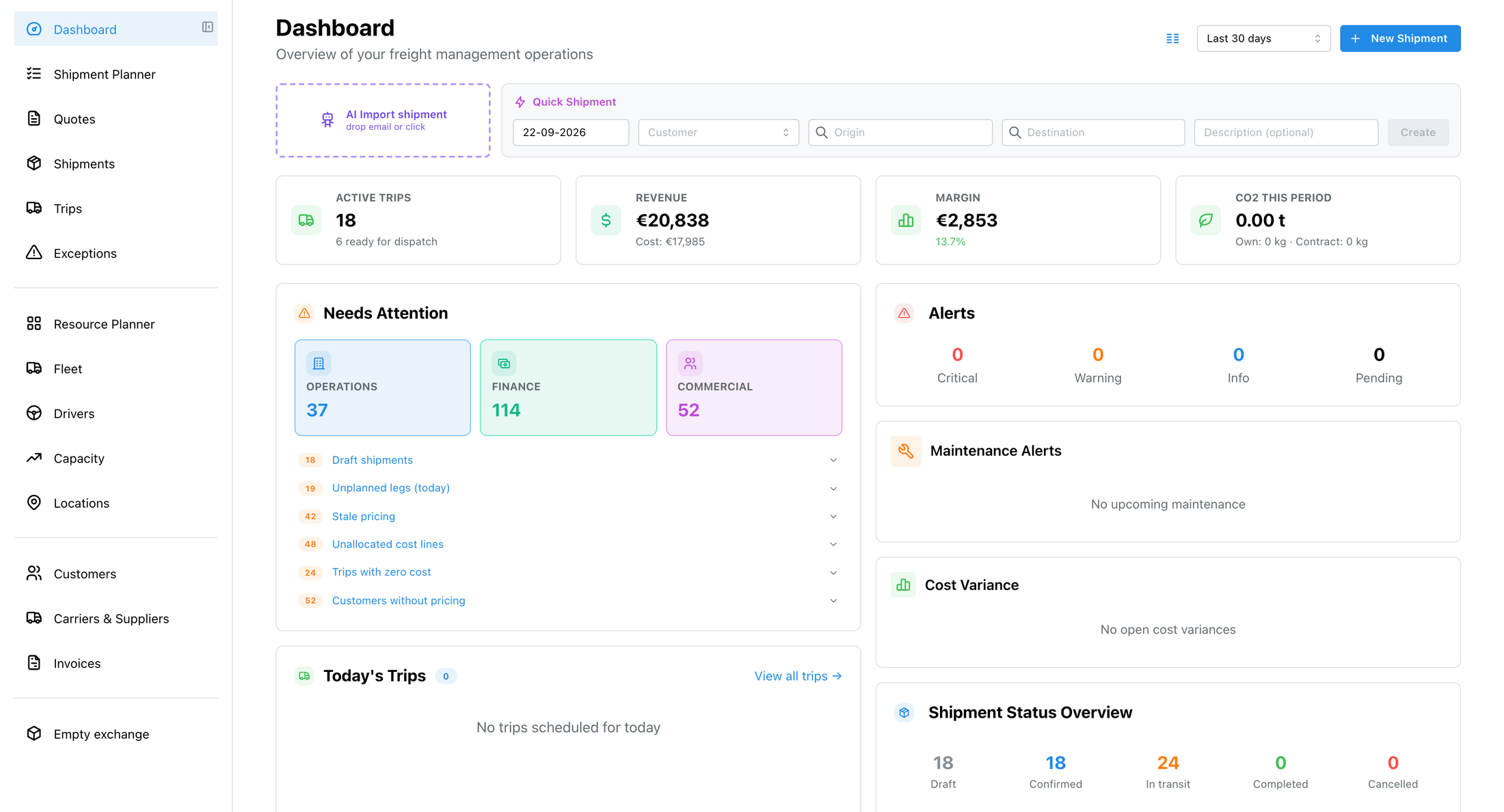
A populated account: customers, vehicles, orders in flight, and the figures that come out of them. Not an empty shell with a getting-started checklist.
Questions we get asked
What do you actually need from us?
An export from your current system: whatever format it produces. We have adapters for common TMS exports and we will write one if yours is unusual. Beyond that we need a couple of short sessions to confirm how your departments, charge types and rate structures should map. You prepare for meetings; we configure between them.
How long does it take?
Days rather than months for a single department. The variable is rarely the data: it is how many decisions need making about structure, and how quickly your side can answer them. Larger multi-entity groups take longer because there is genuinely more to decide, not because the loading is slower.
What if our data is a mess?
It usually is, and the migration is a good moment to find out. Rows are validated before they land and anything rejected comes back as a per-row report, so duplicate customers and half-finished addresses surface as a list you can work through instead of as confusion later. There is also a data-health scan inside Orin afterwards.
Can we try it before committing to a migration?
Yes, two ways. We set up an environment for you with demo data to click around in. Better: send us a day's export and we will show you your own operation planned in Orin (including what the optimizer does with it) before you decide anything.
What does it cost?
Onboarding for your first department is free, and that covers the migration of your master data and history, the sessions where we agree the structure, and getting your users started. Anything beyond it is quoted before it starts: a second or third legal entity, a bespoke integration, or an export we have to write a new adapter for. You will not get an implementation invoice you did not agree to in advance.
Talk it through before you export anything.
Discuss your migrationThirty minutes on what you run today and what a switch would involve. Send an export afterwards if you want to see your own operation in Orin.