Customer and partner portal
The calls you stop taking.
Your customers order and follow their own shipments. Your carriers and agents pick up their own work. Both in your name, not ours.
Most of the phone calls a transport office takes are somebody asking a question the system already knows the answer to. The portal is where they ask it themselves, and it has two sides: the people who give you work, and the people you give work to.
For your customers
Everything a shipper wants from you between placing an order and paying for it.
- Place an order through a guided form, or from a saved template for a lane they ship every week.
- Ask for a quote and see what came back, with the lines that make up the price.
- Follow shipments, star the ones that matter, and see the ETA from the routing engine rather than a guess.
- Download documents and invoices, including the signed CMR and the proof of delivery photographs.
- Raise a claim for damage or delay, and follow it without sending another e-mail.
- Run their own reports and export their own data, which is usually what the monthly spreadsheet request was.
For your carriers and agents
The other side of the same portal, for the people who move the work you sell.
- See their dispatches and accept them, with the price you agreed on the job.
- Report back: status, proof of delivery, documents, straight onto your shipment.
- Manage their own drivers and equipment, and their own working-hours records where you need them.
- Post and take empties on the exchange, where that is part of your relationship.
- Set up their own EDI: propose a mapping, test it against a real message, and your planner switches it on.
Both sides, on the same platform
The customer signs in and sees their own shipments and a form to order the next one. The subcontractor signs in to the same portal and gets a different menu entirely: the work you sent them, and what they have to give back.
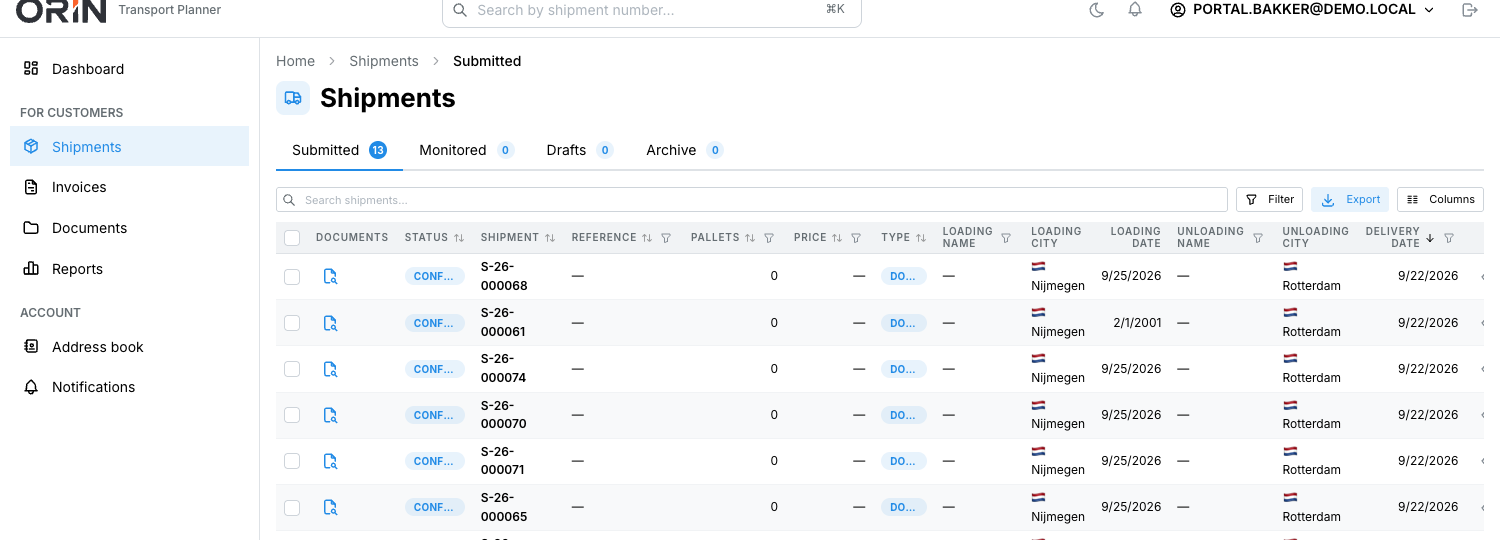
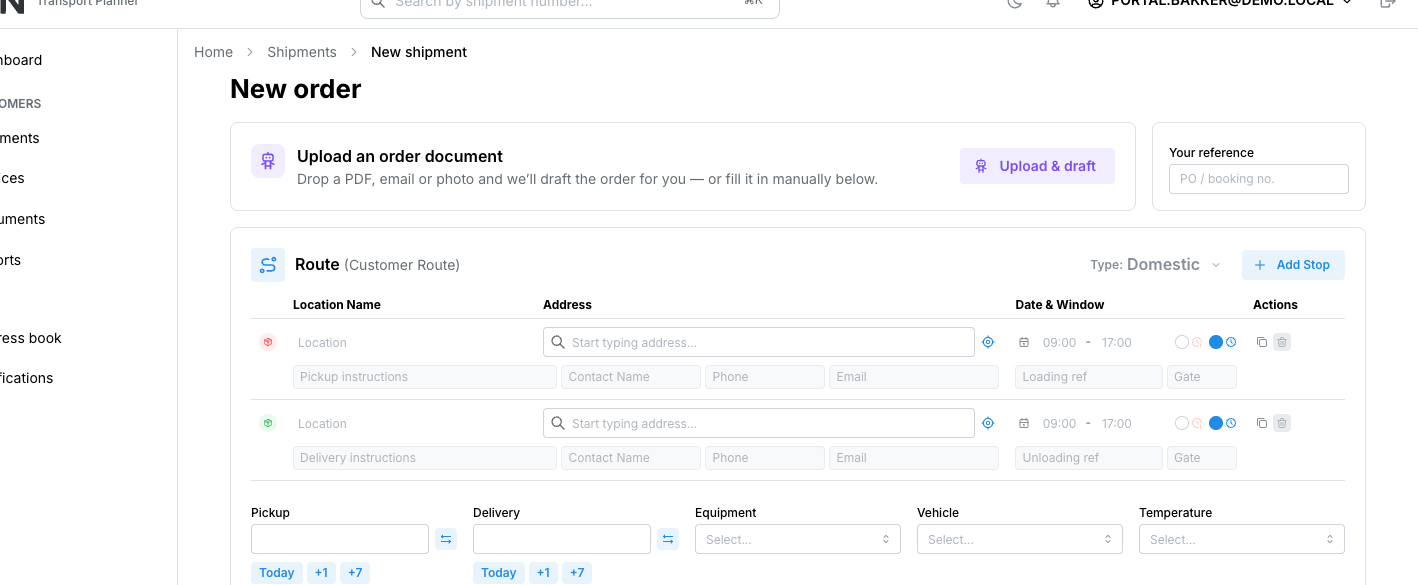
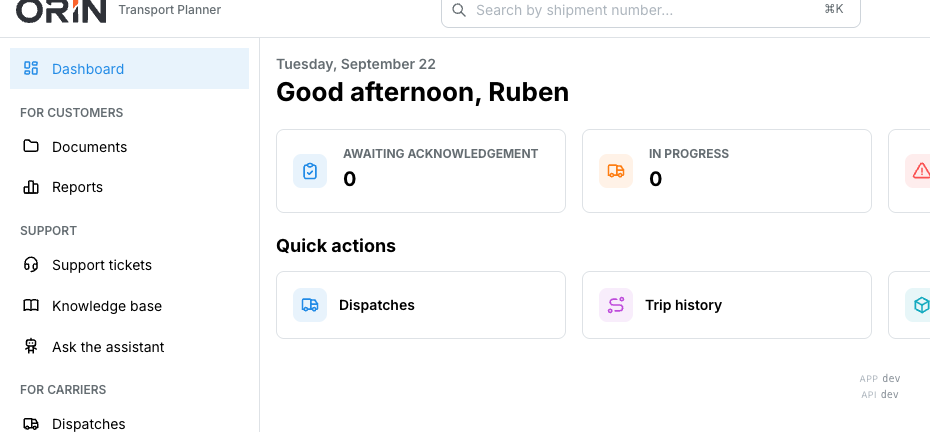
In your name, on your address
The portal resolves by web address, so your customer reaches it at your domain, in your colours, with your logo. White-labelling is an Enterprise line; the portal itself is in Standard.
They see exactly what you grant
Access is per organisation and per scope, not a single switch. A customer sees their own shipments and nothing else; a carrier sees the dispatches you sent them and neither your prices nor your other partners. Your customers invite their own colleagues with permissions that can never exceed their own.
See both sides of the portal.
Book a demoThirty minutes. We show the customer side and the carrier side on the same shipment, so you can see what each one can and cannot reach.